
How to process full and partial refunds
Sometimes it is necessary to refund transactions back to the patient. There are two types of refunds.
- Full refunds, send the full amount of the transaction back to the card holder.
- Partial refunds - Send a portion of the transaction back to the card holder..
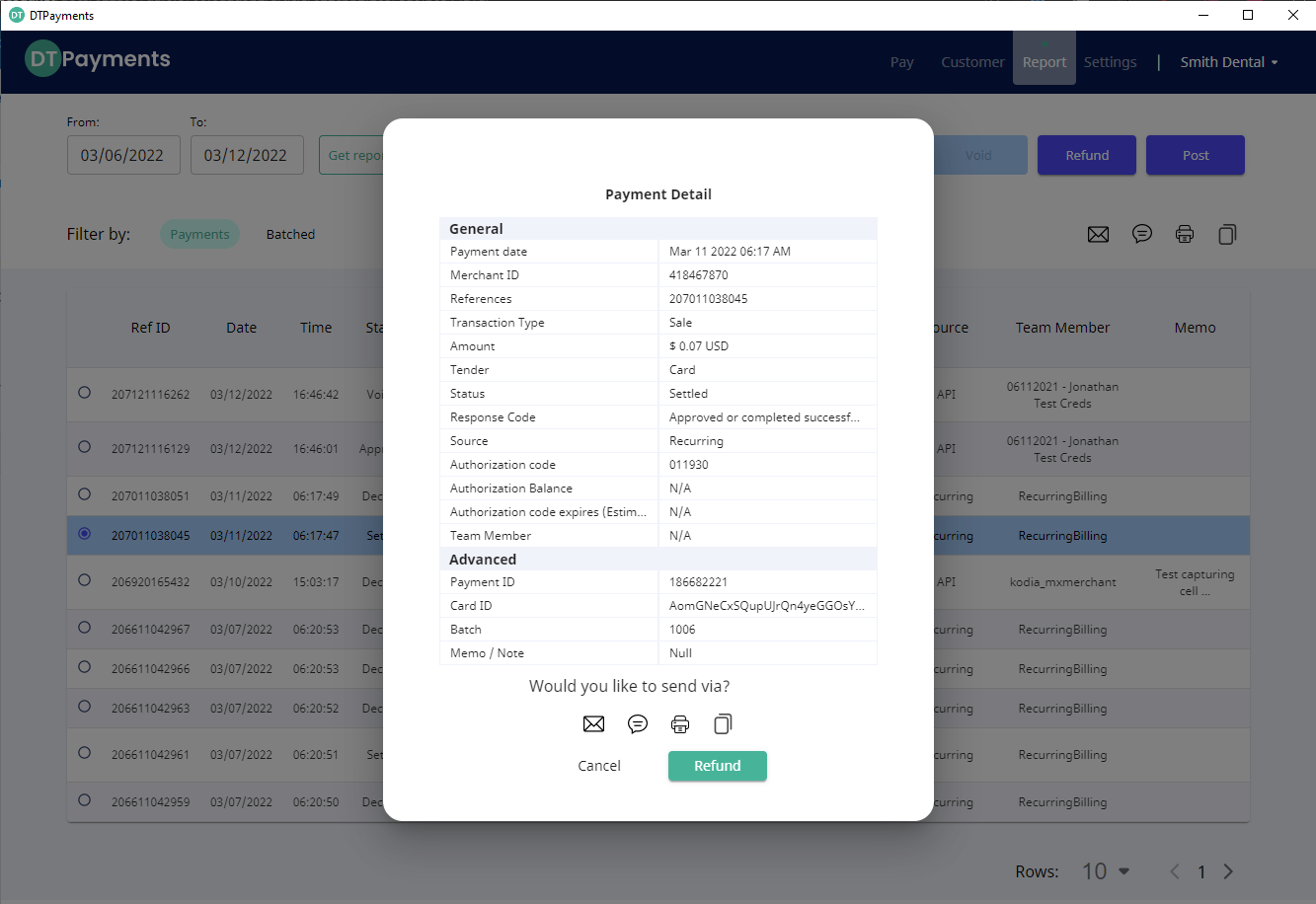
1) Go to the report's module
2) Find the transaction in the list and double click it, or highlight it and press the refund button at the top, which will bring up a modal window with the transaction details
3) Press the green "refund" button
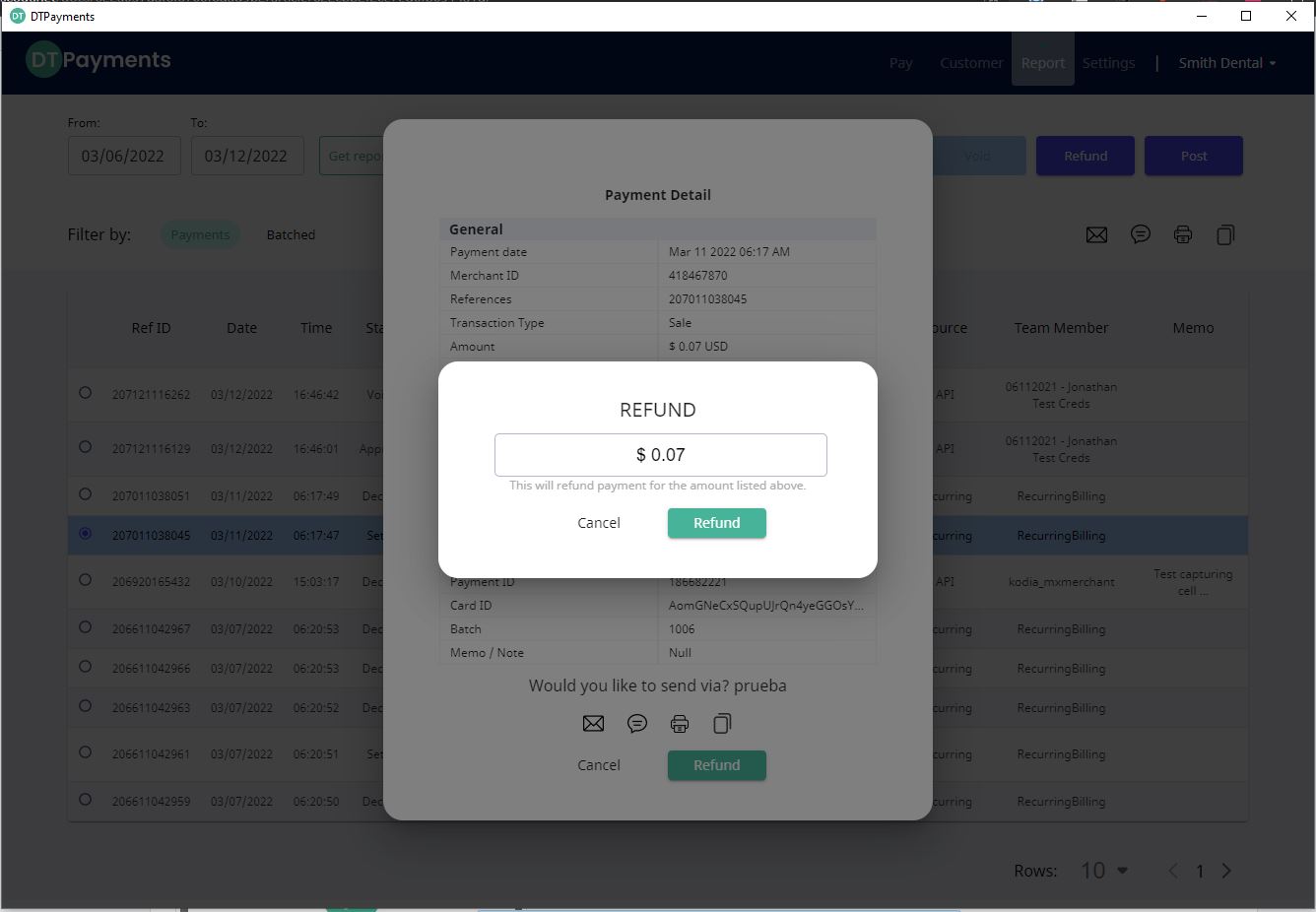
4) Enter the amount desired to refund, and click "refund"
You will be presented with a refund amount screen. By default, the full amount will be presented. If you need to do a partial refund, simply change the amount so a smaller amount. You will not be able to refund more than the original charge. Also, if a partial refund has already occurred, you will not be able to refund more than the difference between the original charge and any money already refunded.
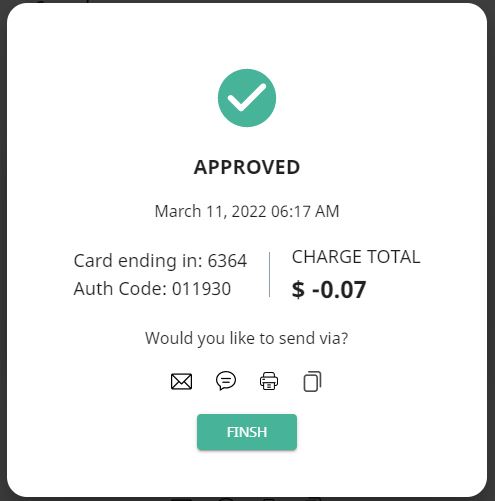
5) You will be presented with a refund approval screen, showing a negative amount for the refund. You have the option to email, text, print, or copy the receipt details.